
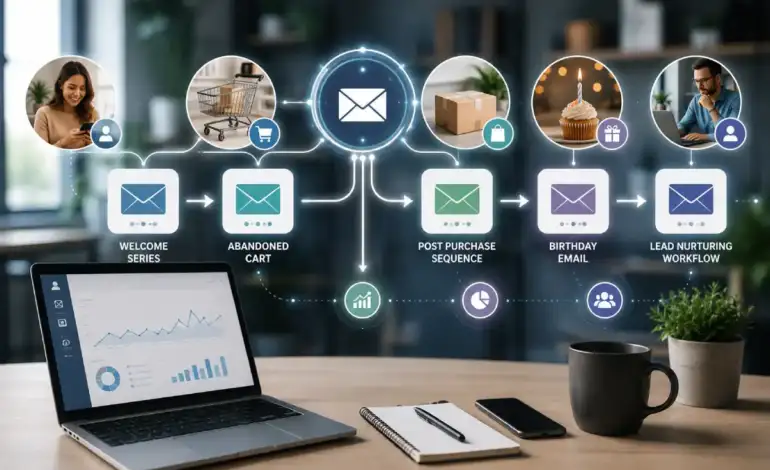
Best Email Automation Workflows to Set Up in 2026

Last Updated: September 18, 2026
Most email programs run one automation — a welcome email — and call it done, while the highest-yield flows sit unbuilt. Automated, triggered emails already generate a large share of email revenue from a small share of send volume, but only when the right set of flows exists behind the scenes. This section discusses the five workflows to build out in 2026, how you get each one started, and more usefully for once, what the actual performance figures behind each one reveal, as “recovery rate” and “conversion rate” are used inconsistently enough to make two different sites appear at odds when they‘re actually measuring two different things.
An email automation workflow is an automated predefined sequence of email messages based on some specific subscriber action or event (e.g. sign-up, cart abandoner, purchase anniversary, etc.) rather than manually sent by a person.
Basis of picks: selected from how consistently each workflow appears across 2026 benchmark reports (Klaviyo, Omnisend, Stripo) as a high-yield automation type, cross-checked against this keyword’s PAA questions. This is a research-based selection, not hands-on testing of live campaigns.
| Workflow | Primary trigger | Typical length | Best for |
|---|---|---|---|
| Welcome email automation | New subscriber/signup | 3–5 emails over 1–2 weeks | Every list — build this first |
| Abandoned cart email flow | Checkout started, not completed | 3 emails over 24–72 hours | Ecommerce stores with online checkout |
| Post purchase email sequence | Order completed | 3–5 emails over 30 days | Ecommerce and subscription businesses |
| Birthday email automation | Date field collected at signup | 1 email, on/near the date | Businesses that already collect birthdate |
| Lead nurturing email workflow | Content download, demo, or intent signal | 7–12 emails over 3–6 weeks | B2B and high-consideration purchases |
Welcome email automation
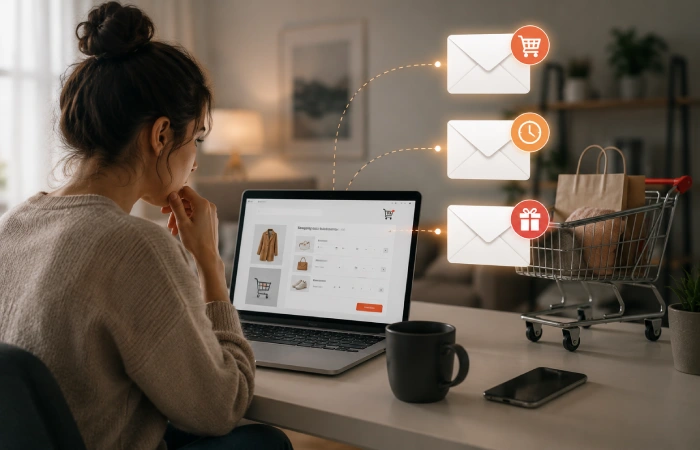
A welcome automation fires the moment someone subscribes or creates an account, and it should be the first flow any email program builds — it’s the highest-priority automation on this list precisely because it requires no purchase history or behavioral data to trigger, just a signup event. The mechanics are straightforward to configure: set the trigger to “list subscription” or “account created,” add a short delay (immediate to a few minutes) before the first send, and set an exit condition so the sequence stops early if the subscriber makes a purchase mid-series. For guidance on what to actually put in each welcome email and how to structure the message sequence itself, that’s covered in more depth as part of a broader email marketing strategy — this page focuses on getting the trigger and automation logic right rather than repeating that content here.
Abandoned cart email flow
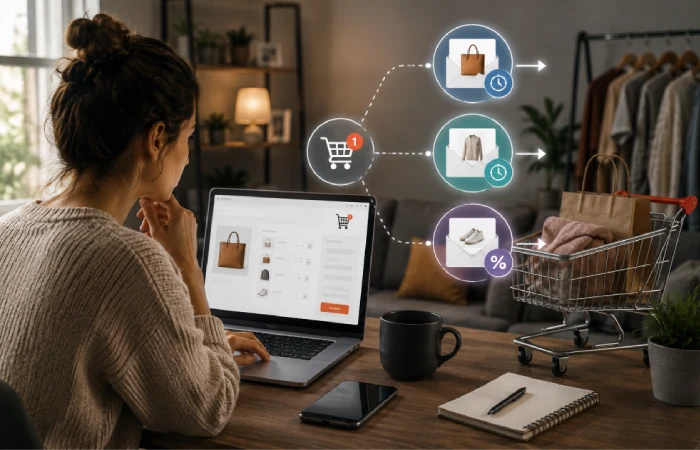
An abandoned cart flow triggers when someone adds an item to their cart and starts checkout without completing it — a near-universal problem, since the global cart abandonment rate averages 70.22% across a meta-analysis of 50 separate studies from the Baymard Institute. The standard structure is three emails spaced across roughly 24 to 72 hours: an early reminder within an hour or two while intent is still high, a follow-up around the 24-hour mark that may include product recommendations, and a final message around 48–72 hours that can include an incentive if the first two didn’t convert.
Here’s where competing pages get sloppy: “recovery rate” and “placed-order conversion rate” are not the same number, and sources routinely blend them. Klaviyo‘s platform data across more than 143,000 flows shows a placed-order rate of 3.33% for abandoned-carts flows, with a 50.5% open rate (that 3.33% is the percentage of those emails that resulted in a completed order). separately, “recovery rate” (abandoned-carts that are recovered, any email that achieved that, not specifically which one) is anywhere between ~10% and 30% by number, depending on the source and timeframe. Both numbers are one hundred percent real; they‘re just speaking to two different questions, so when you check your own metrics compare to the one that is the answer to the question you‘re trying to ask.
Post purchase email sequence
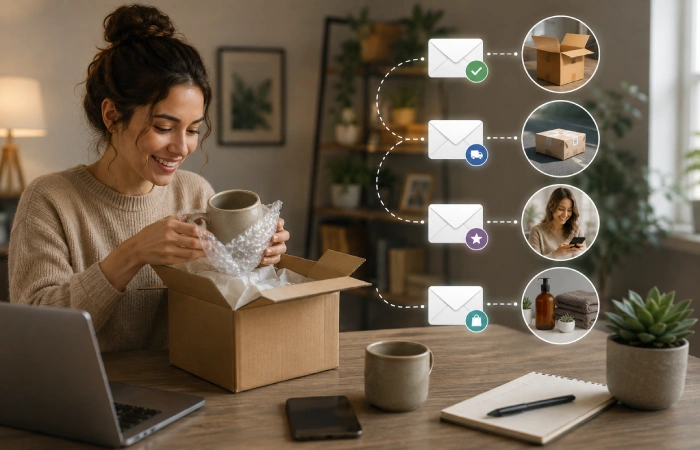
A post-purchase sequence triggers immediately after an order completes and typically runs three to five emails across the following 30 days: order confirmation, shipping update, a delivery-confirmation-plus-review-request once the item arrives, and a cross-sell or replenishment email for consumable products.
This flow has an unusual profile worth knowing before you build it: it posts some of the highest open rates of any automation type — 40–45% according to Klaviyo’s 2026 benchmark data — while carrying one of the lowest revenue-per-recipient figures in the automation stack, around $0.47. That’s not a sign the flow is underperforming; post-purchase emails aren’t built to drive an immediate sale the way an abandoned-cart email is. They’re built to increase repeat purchase rate and lifetime value, which shows up in later purchases rather than in the email’s own attributed revenue. Measure this flow against repeat purchase rate, not against revenue per recipient, or it will look like a failure when it’s actually doing its job.
Birthday email automation
A birthday automation sends a single email, timed to a subscriber’s birthdate, offering something — a discount, a gift, or simply a personal touch — tied to the occasion. It requires exactly one trigger (a date field) and one email, which makes it one of the lowest-effort automations to maintain once it’s built.
It’s also routinely skipped or listed last in competing roundups, which is a mismatch with the performance data: birthday automation generates an average order value of roughly $744, nearly five times the average across other automation types, according to 2026 data from Omnisend cited in Stripo’s automation benchmark report. The reason it’s underbuilt isn’t weak performance — it’s that most signup forms don’t collect a birthdate in the first place, so the automation has nothing to trigger on. If you‘re not flowing to this point with your program, then the hangup is almost always that the signup form is broken, rather than the automation logic.
Lead nurturing email workflow
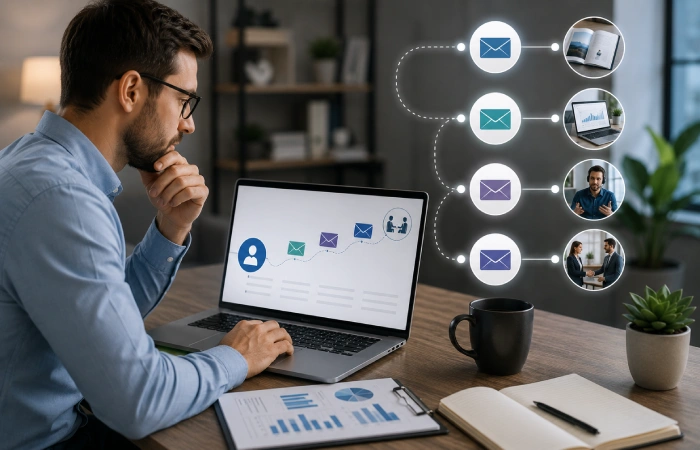
A lead nurturing workflow triggers when a prospect takes an early-funnel action — downloading a resource, requesting a demo, or signing up for a trial — and moves them toward a sales conversation through a longer sequence than the other flows on this list, typically seven to twelve emails spread over three to six weeks for B2B products and services.
The cadence matters more here than in shorter flows: early emails should frame the problem the prospect is facing, middle emails add proof points and handle likely objections, and later emails either make a direct ask or pull back if engagement has clearly dropped. Firms with mature, structured nurturing programs generate meaningfully more sales-ready leads at a lower cost per lead than teams that hand off every raw lead straight to sales, per research on lead nurturing outcomes referenced in LeadsuiteNow’s 2026 guide, which attributes the underlying findings to Marketo and Forrester. Watch sequence length against unsubscribe rate: pushing past roughly twelve emails tends to spike unsubscribes well above baseline, so a longer sequence isn’t automatically a better one.
FAQ
What is an email automation workflow?
An email automation workflow is a set of automated email messages that are set off by a subscriber‘s action or date subscribing, leaving an item in a shopping cart, completing an order, reaching a certain date like a birthday -rather than a marketer scheduling them to be sent a certain time.
What email automations should every business set up?
A welcome automation is the one nearly every business should build first, since it only requires a signup trigger and no purchase history. Beyond that, which flows matter most depends on the business model: ecommerce stores get the most value from abandoned cart and post-purchase flows, while B2B and service businesses get more from lead nurturing sequences.
How long should an email automation sequence be?
It depends on the flow’s purpose: a welcome series typically runs 3–5 emails over one to two weeks, an abandoned cart flow runs 3 emails over 24–72 hours, and a B2B lead nurturing sequence runs longer, typically 7–12 emails over 3–6 weeks. Sequences pushed well beyond their typical length tend to see rising unsubscribe rates without a matching gain in conversions.
Do I need an ecommerce store to use email automation workflows?
No — welcome, birthday, and lead nurturing automations all work without an online store, since they trigger on signup, a date field, or a content download rather than a purchase event. Abandoned cart and post-purchase flows specifically require an ecommerce checkout to trigger from, so those two are the ones that don’t apply to a non-ecommerce business.
How much revenue can email automation generate?
It varies widely by flow and industry, so treat any single “automation generates $X” figure with caution — a post-purchase flow can have a high open rate but low revenue per email because its value shows up in repeat purchases later, while an abandoned-cart flow is built to drive an immediate, directly attributable sale. Compare your own results against benchmarks that specify exactly which metric they’re measuring, not just a headline percentage.

I’m Thomas — Editor & Admin of incmarketingplace, Blogger, and Senior SEO Analyst. writer at Inc Marketing Place, sharing insights on SEO, branding, content marketing, and online business growth. I focuses on creating practical and easy-to-understand content for marketers, entrepreneurs, and growing businesses

