
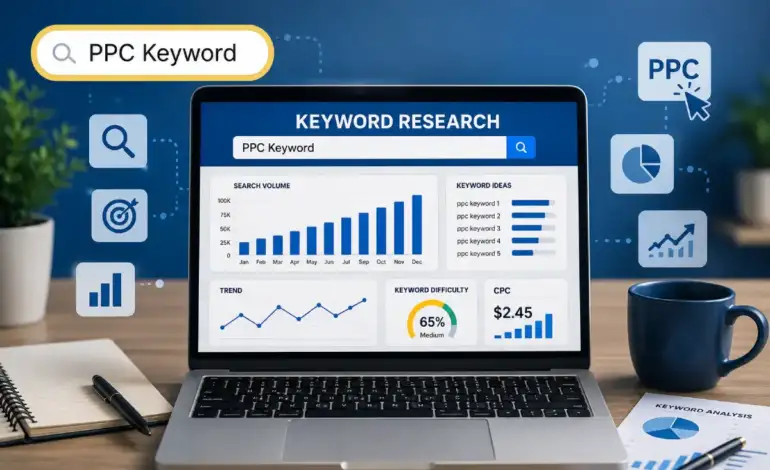
PPC Keyword Research: How to Find Profitable Keywords for Paid Ads

Last Updated: September 18, 2026
Okay so here’s the thing nobody tells you when you’re starting out with Google Ads. You can have a perfectly structured campaign, decent ad copy, a landing page that converts fine on organic traffic — and still lose money every single day. Why? Keywords. Specifically, bad ones, or good ones used the wrong way.
I’ve audited a lot of accounts at this point To be honest, more often than I‘d like to count. The pattern is very similar: someone uses Keyword Planner for the first time and then copy-pastes the first 20 relevant ideas and never touches the list again. That’s not a strategy. That’s a coin flip with extra steps.
This isn’t going to be a complete masterclass — that’s what the linked guides further down are for. Think of this as the five things you genuinely need to understand before you spend another dollar: which tools to trust, why long-tail keywords matter more than people think, negative keywords (seriously, don’t skip this part), match types, and stealing — sorry, “analyzing” — what your competitors are doing.
Best PPC Keyword Research Tools

Quick gut check: if your entire keyword process is “open Keyword Planner, type a word, screenshot the results” — you’re leaving money on the table. Not a little. A lot, depending on your niche.
Different tools show you different slices of the same picture. Keyword Planner is Google being Google — accurate-ish, deliberately vague unless you’re already spending, and free. SEMrush and Ahrefs cost real money but show you click data and competitor gaps that Planner just doesn’t surface. SpyFu is the weird one — cheap, kind of clunky UI honestly, but genuinely useful if you want to see what competitors are bidding on without paying for the big-name tools.
| Tool | Best For | Price |
| Google Keyword Planner | Volume + CPC estimates, straight from Google | Free (needs an active Google Ads account) |
| SEMrush | Competitor keyword gaps, PPC research | From $139/mo |
| Ahrefs | Click data, not just volume estimates | From $129/mo |
| SpyFu | Seeing what competitors are actually bidding on | From $39/mo |
| Microsoft Advertising Intelligence | Bing/Edge keyword data — often skipped, shouldn’t be | Free |
My actual workflow, for what it’s worth: Always use the Keyword planner first for a baseline. I‘ll run the shortlist through SEMrush or Ahrefs after that, just to make sure I‘m not entirely off base. When I‘m trying to see the competition, nothing beats spyfu.
| Key Takeaways
• Keyword Planner’s volume ranges get vague fast if your account isn’t actively spending — don’t trust it blindly • SEMrush and Ahrefs give click-through data, which honestly matters more than raw search volume • SpyFu’s $39/month is cheap for what you get if competitor research matters to you |
Long-Tail Keywords for PPC

Confession: I used to think long-tail keywords were basically the consolation prize. Like, sure, grab a few if you’ve got budget left over after the “real” keywords. Total rookie mistake, and I made it for longer than I’d like to admit.
Here’s what actually happens. Someone searches “project management software.” Could be anyone — a student doing a paper, someone bored at 2am, a freelancer who’ll never pay for anything. No idea. Now someone searches “best project management software for remote construction teams under 20 employees.” That person knows exactly what they want and they’re probably ready to buy this week, maybe even today.
Same ad spend, wildly different intent. That’s the whole game.
| Type | Example | What It Signals |
| Broad/head keyword | “project management software” | Could be anyone, any intent level |
| Long-tail keyword | “best PM software for remote construction teams” | High intent, close to a buying decision |
And the CPC math usually works in your favor too — less competition on the specific stuff, better Quality Scores because your ad copy can match the search almost exactly. It’s one of those rare situations in PPC where cheaper actually does mean better.
| Key Takeaways
• Look for 4-7 word phrases with obvious commercial intent baked in • Group these tightly so your ad copy can mirror the search query closely • Don’t write off low search volume — 50 searches a month converting at 20% beats 5,000 converting at half a percent, every time |
Negative Keywords in PPC

If there is one thing I want you to get out of this entire article, its this section. I’m not exaggerating.
Negative keywords are seen as something to program in the first step and then not really think about after that. Big mistake. Google’s match types have gotten looser over the years — broad match especially will show your ad for searches that are only vaguely related, and it does this constantly, quietly, in the background where you won’t notice unless you’re checking.
True story, client I worked with sold premium HR software, nothing cheap, enterprise pricing. Their ads were showing up for “free HR software,” “HR software open source” — and somehow, I still don’t fully understand how, “HR software tutorial YouTube.” None of those clicks were ever going to convert. We added one negative keyword list. Wasted spend dropped 23% in about a month. Didn‘t touch bids, didn‘t touch budgets, just stopped paying for clicks that were just out of nowhere and not taking us where we wanted to go.
| Key Takeaways
• Check your Search Terms Report weekly — that’s where the real waste hides, not in the campaign settings • Build an initial negative list before you even launch: free, cheap, DIY, jobs, salary, tutorial, reddit, that kind of thing • Use campaign-level negatives for broad protection, ad group-level for precision • Shared negative keyword lists save you from repeating the same setup across every new campaign |
Keyword Match Types in Google Ads
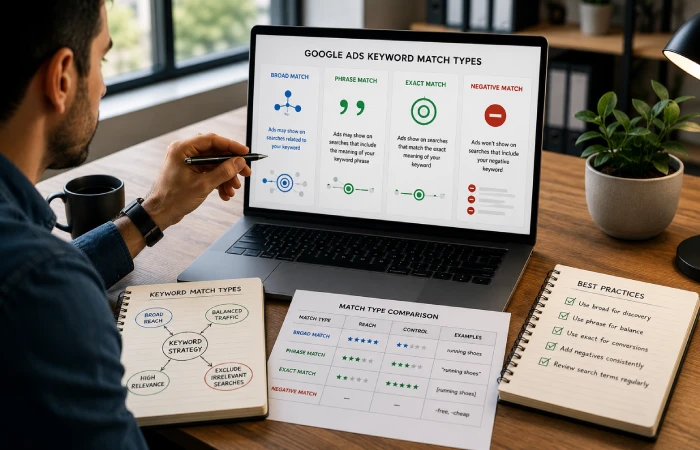
Match types confuse people more than they should, mostly because Google keeps quietly changing how “strict” each one actually is. What used to be true about exact match three years ago isn’t fully true anymore.
Still, the core logic holds:
| Match Type | Symbol | How It Behaves | Use It For |
| Broad match | (none) | Shows for related searches, synonyms, Google’s interpretation of “related” — which can get loose | Big-budget testing with a strong negative list already in place |
| Phrase match | “keyword” | Needs your phrase’s meaning intact, extra words allowed around it | Most campaigns, most of the time — the sensible default |
| Exact match | [keyword] | That query, or something Google decides is “close enough” | Your proven winners, the keywords you already know convert |
My default for anything new: phrase match first, watch the Search Terms Report like a hawk for two weeks, then graduate the winners to exact match. I leave broad match off until there’s enough account history and enough negatives stacked up to handle whatever Google decides to throw at it.
Side note nobody mentions enough — “exact match” isn’t really exact anymore. [running shoes women] can still trigger for [women’s running shoes] or even [running sneakers for women]. Usually harmless. Sometimes it’s not, so check periodically.
| Key Takeaways
• Phrase match is the safer starting point — resist Google’s nudges toward broad match early on • Move proven converters to exact match so they’re protected from “close variant” drift • Broad match isn’t bad, it’s just not a beginner setting — needs negatives and budget to back it up |
Competitor PPC Keyword Analysis

Your competitors have basically already run the experiment for you, which, if you think about it, is kind of a gift. The keywords they keep bidding on month after month after month? Working. The ones they bid on for two weeks and dropped? Probably weren’t.
SpyFu, SEMrush’s Advertising Research tab, Ahrefs’ Paid Keywords — any of these will show you a domain’s paid keywords, roughly what they’re spending, and which ads have stuck around the longest. Longevity is the tell. Nobody keeps on paying for an ad that‘s losing money, not month after month.
But here‘s the thing people forget that‘s not what it‘s for go find what they aren‘t doing. Where are they overspending on something generic when a sharper, more specific angle would cost less and convert better? That gap — that’s yours if you want it.
| Key Takeaways
• In SpyFu, sort a competitor’s paid keywords by months active — the longest-running ones are usually the most profitable • Cross-check their list against yours to spot what you’re missing entirely • Keywords they rank for organically AND pay for? Those matter enough to them that they want guaranteed placement — worth noting • Don’t just chase their top spenders, hunt for the gaps in long-tail and specific intent |
Putting It All Together
And none of this is a one-and-done activity, I’m afraid. Build your list, launch, go into the Search Terms Report, add negatives, start testing match types, take a quick look at your competitors, repeat. Forever, basically, or at least for as long as the campaign runs.
The accounts that consistently win aren’t doing anything magical. They’re just not letting the basics slide after week one — which, weirdly, is rarer than it should be. Good keyword hygiene compounds. Slowly, then noticeably.
Start with whichever section above hit closest to home — that’s probably your biggest gap right now. And honestly, PPC keyword research done properly is one of the few things in paid advertising that actually pays for the time you put into it.
Frequently Asked Questions
What is PPC keyword research?
It’s figuring out which search terms your audience actually types in, then deciding which ones are worth paying for based on volume, cost, intent, and competition. Done well, it means your ads reach people who are likely to actually buy — not just anyone who’s loosely curious.
What is the best free PPC keyword research tool?
Google Keyword Planner, no real contest there. It’s free, it’s direct from Google, and it’s a solid place to start. The catch is the volume ranges get pretty wide and vague unless your account is already spending money. Fine for getting started, not always precise enough once you’re scaling.
How many keywords should be in a PPC ad group?
Used to be “the more the better.” Not anymore, really. Most people who know what they’re doing keep it tight now — 5 to 15 closely related keywords per group. Tighter theme means better ad relevance, better Quality Score, and usually a lower CPC as a result.
What’s the real difference between broad match and exact match?
Broad match lets Google decide what counts as related — and that can stretch pretty far. Exact match locks you to that specific search, plus whatever Google considers a close enough variant. More traffic with broad, more control with exact. Most accounts end up using both, just on different keywords.
How do negative keywords actually save money?
They stop your ad from showing up for searches that were never going to convert anyway. Every irrelevant click you block is budget that stays available for the searches that do matter. It’s honestly one of the fastest wins available in any PPC account.
How do I find out what keywords my competitors are bidding on?
SpyFu’s the easiest entry point — type in a domain, see their paid keywords, rough spend estimates, ad history. SEMrush’s Advertising Research does something similar. Both let you poke around with a free trial before paying for anything.
Are long-tail keywords actually worth the effort in paid ads?
Yes, more than most people assume. Lower CPCs, less competition, and the people searching them usually know exactly what they want. The tradeoff is lower individual volume per keyword — but build out enough of them and they add up to a meaningful, highly qualified slice of your traffic.

I’m Thomas — Editor & Admin of incmarketingplace, Blogger, and Senior SEO Analyst. writer at Inc Marketing Place, sharing insights on SEO, branding, content marketing, and online business growth. I focuses on creating practical and easy-to-understand content for marketers, entrepreneurs, and growing businesses