
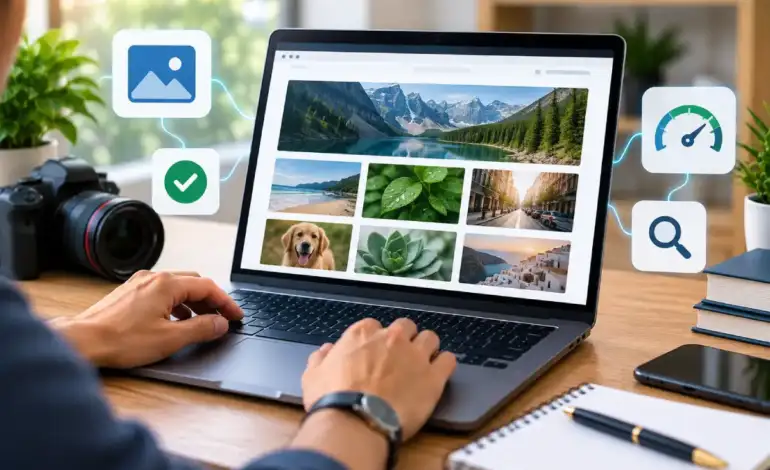
Image SEO & Alt Text: How to Optimize Images for 2026

Last Updated: September 18, 2026
Images carry real SEO weight, but most of that weight comes from a handful of unglamorous details: what you name the file, what the alt text says, how hard you compress it, which format you serve, and whether it’s discoverable at all. None of this requires design skill — it’s mechanical, checkable work. This guide covers each piece in order, from the alt text every image needs to the sitemap question most sites get wrong in one direction or the other. For the broader page-level checklist this fits into, see on-page SEO fundamentals.
Images SEO means optimizing the alt description, file name, compression, format and inclusion in site-map of an image to make it understandable and rankable for search engines and AI.
Alt text best practices
Create an alt text for the target audience first: do the blind using a screen reader who can see the graphic at all want to know? You should tell them what they would want to know in neutral, hardandshiny language; what the graphic is showing and what its purpose is on the page. The primary keyword can then appear naturally only if it naturally fits that description. Google also recommends writing useful, descriptive alt text and using relevant filenames to help it understand images. See Google’s image SEO best practices
Length guidance varies across sources, and it’s worth knowing why. Most screen readers stop reading alt text around 125 characters, which is where the tighter recommendations come from. Other guidance extends that to 80–140 characters, reasoning that Google doesn’t penalize longer descriptions and the real constraint is listener attention, not a hard technical cutoff. In practice, aiming for roughly 5–15 words — enough to be specific, short enough that nobody tunes out — satisfies both concerns without needing to memorize a precise character count. Not every image needs keyword bearing alt text either: on a page with many images, obviously only one or two images related most closely to the page’s subject should have the main or secondary keyword as part of their alt as good practice. Decorative images should have alt=”” instead of a forced description. For the full page level audit this step slots into, the on-page SEO checklist does this pretty well all in one go.
Image file naming SEO
Rename image files before uploading them, not after. A file still called IMG_4521.jpg gives search engines nothing to work with, while blue-leather-crossbody-bag.webp tells them exactly what the image shows before they’ve even rendered it. This matters most when other context is thin — a page with sparse surrounding text or missing alt text leans harder on the file name to establish what an image is about.
Please try to keep names descriptive but brief, separate words by hyphens,- rather than underscores or whitespace, and steer clear of generic names that could be used for every photo on the site. Dedicate a folder of files named photo-1.jpg, photo-2.jpg etc. And providing a real low-effort ranking signal that costs nothing to correct on upload.
Image compression SEO
Image compression is critical. Compress every image before it goes live, no matter what your file type. An uncompressed or poorly compressed image file honestly kills Largest Contentful Paint, and LCP is 1 of the 3 Core Web Vitals that Google receives a user-centric measurement of directly. For practical guidance on reducing image file sizes and serving images efficiently, see web.dev’s image performance guidance. A similar image will frequently ship at a minuscule fraction of its file size once properly compressed, and the audible difference is none at all to a reader, but not at all to page-speed tooling.
Compression and format choice work together but aren’t the same lever. Compression decreases the size of a file under the format; format selection (discussed next) affects how well-format that compression is in the first place. Nail both and the synergy results in quicker loading, less layout-shift events, and sustained Core Web Vitals scores on a site‘s image-heavy pages.
Next-gen image formats
WebP is the default format to serve in 2026. It’s universally supported across modern browsers, produces roughly 25–35% smaller files than JPEG at equivalent visual quality, and supports both lossy and lossless compression along with transparency, which JPEG never had. For nearly every site, switching default exports to WebP is a straightforward, low-risk win.
AVIF goes even further I’ve seen claims of up to half the size of JPEG. However, browser support and encoding speed lag well behind WebP. The recommended real world implementation strategy seems to be to deliver AVIF as a progressive enhancement using the HTML <picture> element with AVIF listed first followed by a fallback to WebP, allowing browsers that support the newer format to benefit from a smaller file size while WebP fills in for everyone else. One more detail that’s easy to overlook: never lazy-load the image that becomes your page’s Largest Contentful Paint element, typically a hero image. Lazy-loading it delays the very metric it’s supposed to help.
Image sitemap
Most sites don’t need a dedicated image sitemap, and most guides don’t say that clearly enough. Google’s own sitemap documentation lists four specific conditions where a sitemap earns its keep: the site is large (roughly 1,000+ URLs), pages aren’t well linked internally, the site is new and hasn’t picked up external links yet, or the site has substantial media it wants indexed separately from regular crawling. A well-linked, moderately sized site gets its images crawled and indexed without one.
For sites that do qualify — photography portfolios, e-commerce catalogs, media-heavy publishers — image entries can go inside the existing sitemap.xml for smaller image counts, or into a dedicated image sitemap once a site crosses a few thousand images. Two details trip people up consistently. Firstly the xmlns: image namespace attribute on the <urlset> is still mandatory the file will otherwise be read as an ordinary sitemap with all image tags falling through the cracks. Secondly only the <image: image> and <image: loc> tags still feature in Google‘s currently documented implementation <image: caption>, <image: geo_location>, <image: title> and <image: license> were deprecated as far back as 2022, so any manual still showing those in sample XML is no longer current.
Being clear about what a sitemap can and cannot do is also important. It helps discovery and indexing, but not ranking; the fact that an image is in the Google index is due to the sitemap, but whether it ranks or not is still related to the strength of the page it is embedded within, its alt text, and the format it is served up in.
Q&A Access Is More Convenient
Do you need an image sitemap in 2026?
Only if your site meets one of Google’s four documented conditions: it’s large, poorly linked internally, new without much external linking yet, or heavy with media. A smaller, well-linked site typically gets its images crawled and indexed without one.
What’s the ideal alt text length?
Aim for roughly 5–15 words, or under about 125 characters, since that’s where most screen readers stop reading alt text aloud. Some guidance extends the range to 140 characters, reasoning that Google itself doesn’t penalize longer descriptions — either way, prioritize a complete, accurate description over hitting an exact number.
Does image file name affect SEO rankings?
Yes. File names are a confirmed signal Google uses to understand image content, particularly when alt text or surrounding page context is limited. Descriptive, hyphenated file names given before upload are a low-effort, genuine ranking input.
WebP or AVIF — which format should you use?
Keep WebP as your baseline, it‘s supported everywhere and makes good file-sized savings compared to JPEG. Use AVIF over the top of it as a progressive enhancement with the picture element for anything supporting it: it‘s capable of higher compression but isn‘t quite as widespread yet.
Does an image sitemap help rankings or just indexing?
Just indexing. An image sitemap allows Google to find and crawl images that it wouldn‘t find any other way, but it doesn‘t directly influence their subsequent ranking. Ranking still relies upon alt tag information, image format, compression and the context of the page/page content.

I’m Thomas — Editor & Admin of incmarketingplace, Blogger, and Senior SEO Analyst. writer at Inc Marketing Place, sharing insights on SEO, branding, content marketing, and online business growth. I focuses on creating practical and easy-to-understand content for marketers, entrepreneurs, and growing businesses

