
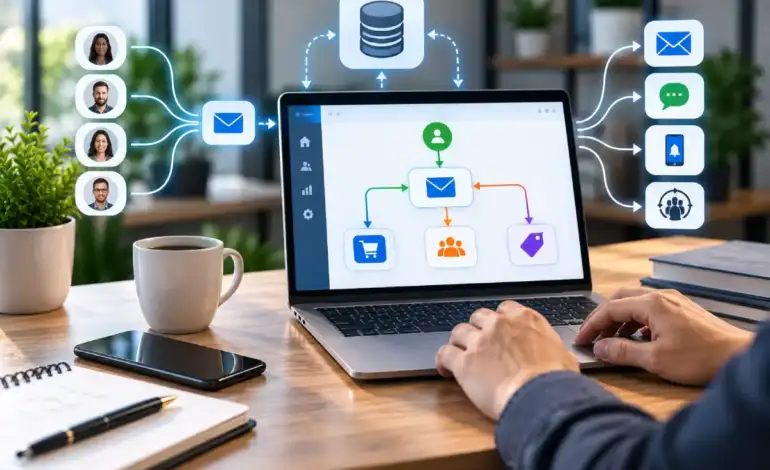
Email Marketing Automation: Workflows That Convert in 2026

Last Updated: September 18, 2026
Most email automation advice treats each workflow as its own island — build a welcome series, build a cart-recovery flow, done. Under a marketing automation strategy, the more useful question is how each flow connects to what you already know about a contact: their CRM stage, their lead score, their behavior across other channels. In this guide, we‘ve summarized the core three flows and then dived into a little more detail on the two areas where you can actually influence results: the best-pratices order that beats any individual tactic; and the relative strengths of the main automation platforms in the context of a marketing automation approach.
Email marketing automation is the practice of using software that will automatically trigger predetermined email sequences based on a subscriber‘s activity (for instance, subscribing or abandoning their shopping cart), instead of manually sending individual messages.
Automated welcome email series

A welcome series triggers on signup, and within a broader automation stack, its real value is the data exchange it enables — a first email can also fire a CRM field update or a lead-score increment, so by the third or fourth message, later sends can branch based on what the contact has actually done rather than staying generic. The trigger and sequencing mechanics (timing, message count, what each email should cover) are already worked out in detail elsewhere on this site; the piece worth adding here is that a welcome series built in isolation from your CRM wastes the one moment you’re guaranteed a contact’s attention.
Abandoned cart email automation

A cart-abandonment flow triggers on an incomplete checkout, and the automation-stack question worth asking is whether it should stay email-only. Ecommerce teams running true omnichannel automation increasingly chain a cart flow across channels — email first, then an SMS or push follow-up if the email goes unopened within a set window — inside a single workflow rather than as separate, uncoordinated tools. That orchestration layer, not the email copy itself, is what most single-channel abandoned-cart guides don’t address.
Drip campaigns for email automation
A drip campaign in a marketing-automation context typically exists to move a contact along a lead-scoring path rather than just to nurture on a timer. Each email in the sequence can be tied to a score threshold, and crossing that threshold should trigger something outside the email tool entirely — a CRM task, a sales notification, a handoff. The message-by-message structure of a drip sequence is covered in more depth elsewhere; the piece specific to marketing automation is that a drip sequence disconnected from lead scoring is just a scheduled newsletter with extra steps.
Email automation best practices
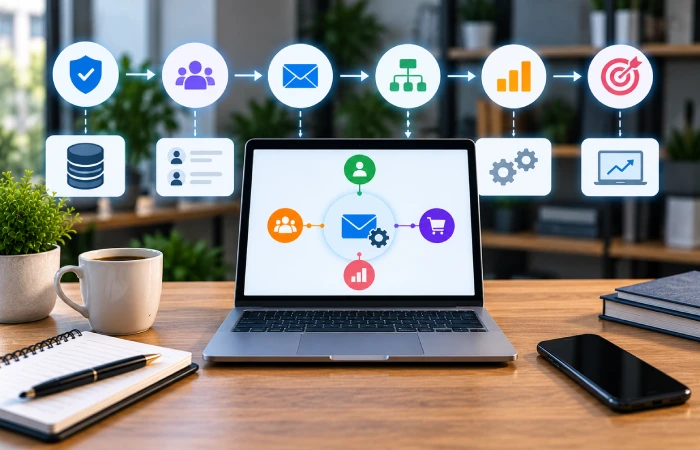
Most best-practices lists for email automation read as eight to thirteen roughly equal tactics — segmentation, testing, personalization, deliverability — with no indication of which to fix first. A more useful framing treats automation maturity as three layers that build on each other, per SMTP2GO’s 2026 strategy guide: fix deliverability foundations first (authentication, sender reputation, list hygiene), then build the lifecycle system (segmentation, the core triggered flows), then layer on optimization (AI-assisted send-time and content decisions). Working out of order — chasing AI personalization while sender reputation is degraded, for instance — means the earlier layers cap whatever the later ones can achieve.
One foundational point worth stating plainly: automation doesn’t exempt a program from compliance. The FTC’s CAN-SPAM Act requires a working opt-out mechanism for at least 30 days after any send and honoring opt-out requests within 10 business days, whether a human clicked “send” or a workflow did. An automation that keeps emailing someone past their opt-out request is a compliance failure, not a technical glitch to shrug off.
Email automation tools comparison
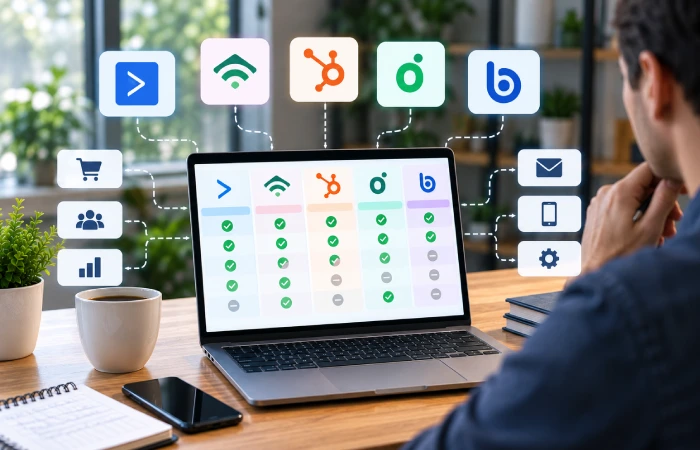
The decision between one platform and another seems to vary depending on business model rather than a individual “best” tool. Cold calling research from 2006 actually compares and tests, and always still boils down to these 5 platforms in the same order, depending:
| Platform | Best for | Standout feature |
|---|---|---|
| ActiveCampaign | B2B/SaaS teams needing complex, multi-branch workflows | Deepest automation logic, with a lightweight built-in CRM |
| Klaviyo | Ecommerce brands wanting granular, AI-driven personalization | SKU-level segmentation and predictive analytics |
| HubSpot | CRM-first teams already using HubSpot for sales | Automation, CRM, and service unified in one platform |
| Omnisend | Ecommerce teams wanting native multi-channel automation | Single workflow spanning email, SMS, and push |
| Brevo | High-volume senders on a tighter budget | Cost-effective sending at scale, with lighter CRM depth |
Tested comparison research from LaGrowthMachine found ActiveCampaign delivers the deepest automation logic for complex, multi-branch B2B workflows, while Omnisend’s native omnichannel automation — chaining email, SMS, and push in a single workflow — suits ecommerce teams best. Pricing on all five scales with contact list size rather than staying fixed, so a quoted starting price is a poor proxy for what you’ll actually pay at your list’s size — check each platform’s current pricing at your specific contact count before deciding.
FAQ
What is email marketing automation?
Email marketing automation is software-driven sending of pre-built email sequences triggered by subscriber behavior — signing up, abandoning a cart, reaching a date — rather than a person manually scheduling and sending each message. It’s distinct from a broadcast campaign, which is scheduled and sent by a person at a chosen time.
What automated email workflows convert best?
The welcome series, abandoned cart and post-purchase automations are consistently the highest converting because they are triggered in the moment of real subscriber intent rather than when sending cold. The best automations for your business models will vary: ecommerce for the cart and post-purchase series, and B2B-driven drip sequences for lead scoring.
What’s the difference between email marketing and email marketing automation?
Email marketing: this encompasses all email activity where campaigns are scheduled in advance manually as well as automation. Email Marketing Automation: the triggered, behavior-based sequences. Weekly email is email marketing; not automation. But an automated welcome flow is.
Which email automation tool is best for small businesses?
There’s no single best tool — it depends on business type. Small ecommerce shop probably best with Omnisend or Klaviyo Small B2B or service company probably best with ActiveCampaign An existing team using Hubspot‘s CRM may want to stick within the system, even if that becomes more expensive at scale.
How much does email marketing automation cost?
Almost all pricing increases as the number of contacts in your account increases, rather than remaining a flat fee, so a portfolio pricing page can seem cheap at small sizes but becomes more expensive as your contact list increases past a few thousand contacts. Budget options (such as Brevo) tend to stay cheap at scale, while more feature-rich providers (such as Active Campaign or HubSpot) are substantially more costly at scale, in exchange for more automation logic or CRM integration.
Conclusion
Before you add that sixth automation, make sure the three you already have (or are about to create) are truly communicating with your CRM and with each other. A welcome series that isn‘t updating a lead score, or a cart flow that remains email only when your customers are on SMS, is not maximizing the power of that automation-stack even if the emails are converting on their own.

I’m Thomas — Editor & Admin of incmarketingplace, Blogger, and Senior SEO Analyst. writer at Inc Marketing Place, sharing insights on SEO, branding, content marketing, and online business growth. I focuses on creating practical and easy-to-understand content for marketers, entrepreneurs, and growing businesses

